

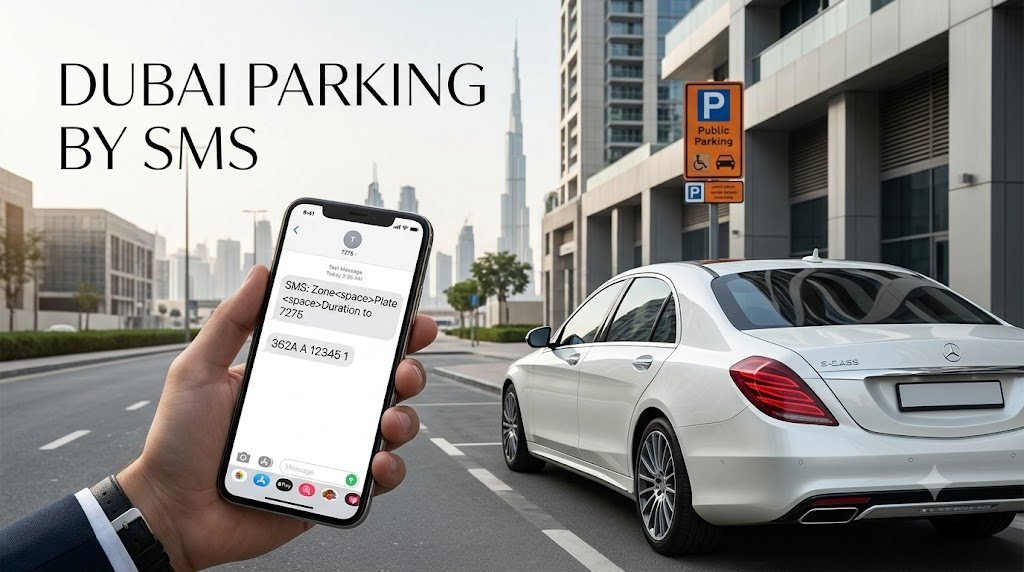
How to Pay Dubai Parking by SMS: Paying for public parking in Dubai is simple once you know the correct SMS format and parking zone code. Drivers can pay through the Roads and Transport Authority (RTA) by sending a text message to 7275 (PARK) without needing to open a parking app. However, entering the wrong zone code or missing the payment confirmation can cause problems.
Here is how to pay Dubai parking by SMS, check the charges and extend your parking when eligible.
How to Pay Dubai Parking by SMS
Follow these five steps to pay for eligible Dubai public parking using your mobile phone.
-
Park your vehicle in a designated public parking space.
-
Check the parking sign for the correct zone code, applicable hours and fees.
-
Open your phone's SMS app and enter the required vehicle details.
-
Send the message to 7275.
-
Wait for the confirmation message and check your parking expiry time.
According to the official Dubai Government parking guidance, motorists can pay for public parking by SMS, using the format specified by the authority.
Dubai Parking SMS Number and Correct Format
The official SMS number for Dubai public parking is 7275. The standard message format is:
Plate Number Zone Code Duration
For example:
A00000 123A 2
In this example, A00000 represents illustrative vehicle plate details, 123A represents the parking zone code, and 2 indicates two hours of parking.
Send the message to 7275 and wait for confirmation. Always use your actual vehicle details and the exact zone code displayed on the parking sign. The example above is for guidance only.
Drivers using different plate categories or registered mParking accounts may need a different format. Check the applicable instructions before sending your message.
How to Find Your Dubai Parking Zone Code
The parking zone code is essential because parking charges and conditions can vary between locations.
Look for the parking information sign near your parking space. It displays the zone code, applicable parking hours and payment information. Enter the complete code in your SMS rather than relying on the area name alone.
If you are unsure about the code or the applicable tariff, consult the RTA Parking Services page before paying.
How to Pay Dubai Parking by SMS: Dubai Parking SMS Charges and Timings
The cost of parking depends on the zone, parking category and duration selected. The regular SMS payment method may also involve an additional mobile SMS charge.
RTA states that motorists can save 30 fils on regular SMS payment by using its WhatsApp parking payment service instead.
Dubai Government guidance lists the standard paid hours for public parking as 8 am to 10 pm, generally excluding Sundays. Multi-storey parking facilities may charge 24 hours a day, seven days a week. Always check the signs because special areas and parking arrangements may have different conditions.
For current rates, consult the official RTA parking services.
How to Extend Dubai Parking by SMS
If you need more time, check the instructions in your parking confirmation or reminder message.
An older RTA driver handbook describes a system in which motorists receive a reminder 10 minutes before expiry and can reply with Y to request an additional hour at the same location.
Because this instruction comes from an older handbook, do not assume that the same extension option applies to every current parking zone or transaction. Follow the instructions provided by the active service and verify the new expiry time before leaving your vehicle.
Why Is Dubai Parking SMS Not Working?
If your parking SMS fails, check these common issues before trying again:
-
Incorrect zone code: Confirm the complete code on the parking sign.
-
Wrong vehicle details: Check the plate number and plate code.
-
Insufficient mobile balance: Ensure your SIM can send SMS messages and has enough credit.
-
No confirmation received: Do not assume that your parking has been paid for simply because you sent the message.
-
Incorrect payment method: Check whether the space belongs to RTA public parking or a separate parking operator.
If you cannot confirm a successful payment, use an approved alternative payment method and check the status of your original transaction to avoid an unnecessary duplicate payment.
Can Tourists Pay for Dubai Parking by SMS?
Visitors may be able to use the SMS service if they have a suitable mobile connection, sufficient balance and vehicle details accepted by the system. However, foreign registration plates and rental vehicles may have different requirements.
If your vehicle details are not accepted, use the instructions provided by the rental company or check the available payment options with RTA. Do not assume that every international SIM or foreign plate will work with the standard SMS format.
Dubai Parking Payment Alternatives
If SMS payment is inconvenient, RTA offers other options for eligible public parking:
-
RTA Dubai app: Check parking details and pay through the official app.
-
Parkin app: Use the official parking application for supported services.
-
WhatsApp: Message RTA's Mahboub chatbot at +971 58 800 9090 and follow the payment instructions.
-
Parking machines: Use an available machine and an accepted payment method.
The WhatsApp service uses a similar vehicle, zone and duration format. Follow the chatbot's instructions and wait for confirmation before considering the payment complete.
Frequently Asked Questions
What number do I text to pay for Dubai parking?
Send the required parking SMS to 7275, using the applicable vehicle details, zone code and duration.
Is Dubai parking SMS free?
The parking fee is separate from any mobile SMS service charge. RTA says its WhatsApp parking service saves 30 fils compared with regular SMS payment.
Can I pay for Dubai parking without the RTA app?
Yes. SMS is an official payment option for eligible public parking, so downloading the app is not always necessary.
Is Dubai public parking free on Sundays?
Dubai Government guidance generally lists Sundays as free for public parking, but multi-storey facilities and separately operated parking areas may have different rules. Check the signs at your location.
What should I do if I receive no confirmation?
Check the transaction status and use another approved payment method if the payment cannot be confirmed. Keep any confirmation message you receive.
Before leaving your car, verify three things: the correct zone code, the successful payment confirmation and the parking expiry time. These simple checks can help you avoid payment errors and unnecessary parking fines.
For the latest payment methods and parking rules, visit the official RTA website.



0 comments
No comments yet. Be the first.